de4dot – Free .NET Deobfuscator Tool

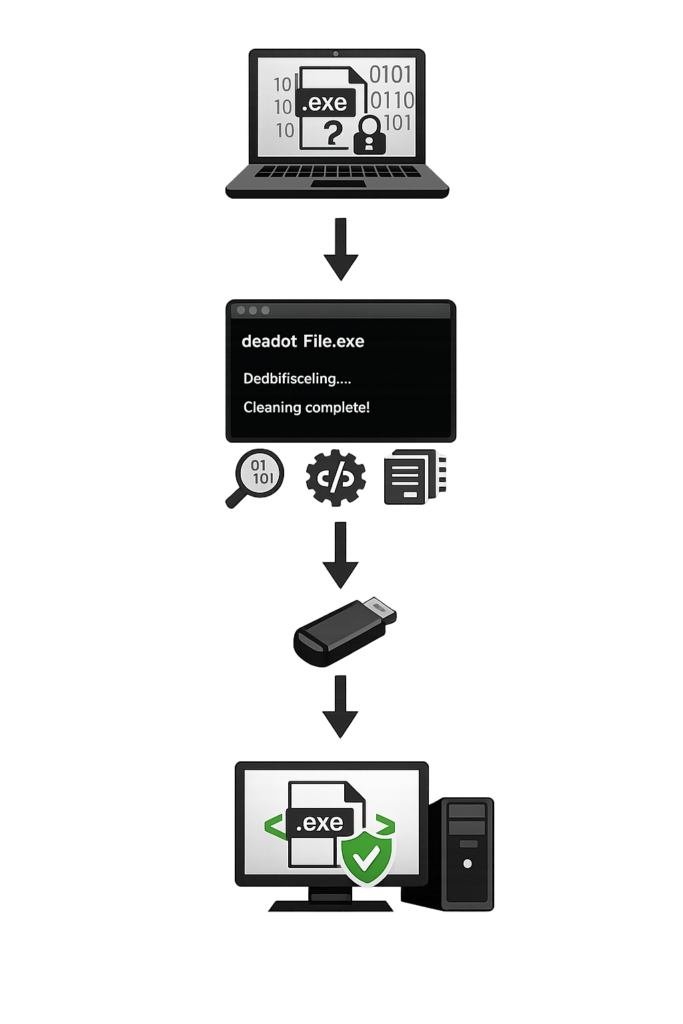
de4dot is free .NET deobfuscation tool that removes code protection, decrypts strings, and restores readable assemblies. Ideal for software analysis, debugging, and security research.
Compatible with Windows 11, 10, 8, 7

About de4dot

de4dot is free and open-source .NET deobfuscation tool designed to analyze and clean obfuscated .NET applications and libraries. It helps developers, security researchers, and reverse engineers understand protected code by removing various obfuscation techniques such as encrypted strings, control flow modifications, and renamed identifiers. de4dot supports many popular .NET obfuscators, including .NET Reactor, SmartAssembly, Dotfuscator, and Eazfuscator.NET. The tool can automatically detect the protection method used and apply the appropriate deobfuscation process. By making code more readable and easier to analyze, de4dot is widely used for software research, debugging, and malware analysis.
GitHub Stars
0 K+
Forks
0 K+
Open Source
0 %
Obfuscators Supported
0 +

de4dot Key Features​

Open Source Flexibility

As an open-source solution, de4dot allows developers and researchers to review, modify, and extend its capabilities according to specific project requirements.

String Decryption

Encrypted strings hidden inside protected applications can be restored to readable text, helping researchers inspect code behavior and understand application logic.

Control Flow Restoration

de4dot simplifies complex control flow structures created by obfuscators, producing cleaner code that is easier to navigate, review, maintain, and analyze.

Resource Recovery

Embedded resources stored within protected assemblies can be extracted and restored, allowing users to inspect files, assets, and application components efficiently.

Metadata Cleanup

The software repairs damaged or altered metadata entries, improving compatibility with .NET analysis tools and creating a more organized project structure.

Batch Processing Support

Multiple .NET assemblies can be processed in a single operation, saving time when analyzing large collections of files or handling extensive research projects.

How to Use de4dot

				
					de4dot yourfile.exe


					de4dot -d yourfile.exe


					de4dot --dont-rename yourfile.exe


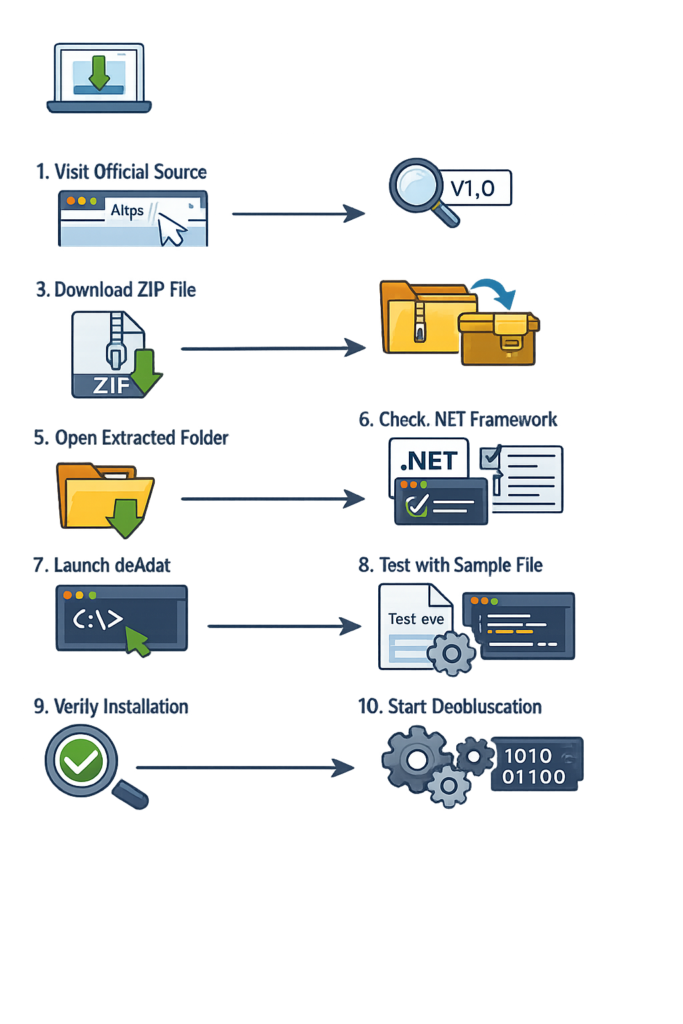
How to Download de4dot

Testimonials

Maya Chen

de4dot is the first tool I reach for when a sample looks ugly. It just works on almost everything I throw at it.

Tomás Ribeiro

Cut my triage time on .NET samples in half. Renaming and control-flow recovery alone are worth the install.

Aarav Patel

Recovered a build I lost the source of after a vendor disappeared. Saved me weeks of rewriting.

Frequently Asked Questions

Is de4dot free to use?
Yes, de4dot is completely free to use. It is distributed as an open-source project, allowing users to download, modify, and use the software without licensing fees. This makes it a popular choice among developers, security researchers, and students who need a reliable deobfuscation solution without purchasing expensive commercial software tools.
de4dot removes obfuscation techniques applied to .NET executables and libraries. It can clean control flow obfuscation, decrypt strings, remove proxy methods, and restore readable metadata. These features help users understand how an application works internally, making it easier to analyze, debug, and study protected .NET software components and assemblies.
de4dot primarily works with .NET executable files and dynamic link libraries. It supports EXE and DLL files that have been created using Microsoft .NET technologies. As long as the target file contains managed .NET code, de4dot can often analyze and process it effectively to improve readability and structure.
de4dot itself is generally considered safe because it is open source and widely reviewed by the community. However, users should always download it from trusted sources and scan unknown files before analysis. The safety of the processed files depends on the original application, especially when dealing with suspicious or potentially malicious software.
de4dot does not directly recover original source code. Instead, it removes obfuscation layers and improves assembly readability. After processing, users can use .NET decompilers to generate readable code from the cleaned assembly. The resulting code may not exactly match the original source but can provide valuable insights into program functionality.
de4dot supports many popular .NET obfuscators, including .NET Reactor, SmartAssembly, Dotfuscator, Babel.NET, Eazfuscator.NET, Agile.NET, and Crypto Obfuscator. Its broad compatibility allows users to work with various protected applications. Support levels may vary depending on the obfuscator version and the protection techniques applied to the target assembly.
Developers use de4dot to analyze applications, troubleshoot compatibility issues, understand third-party libraries, and study software behavior. It helps reveal code structures hidden by obfuscation. Security professionals and researchers also rely on it when examining malware samples, auditing software security, and performing reverse engineering tasks within authorized environments.
Researchers appreciate de4dot because it automates many deobfuscation tasks that would otherwise require significant manual effort. Its support for multiple obfuscators and active community adoption make it a valuable tool for software analysis. The ability to simplify complex assemblies contributes to faster and more effective research workflows.
Does de4dot work on malware samples?
Yes, de4dot is often used in malware analysis when malicious software is written using .NET technology. Analysts can remove obfuscation to better understand the program’s behavior and identify threats. However, malware analysis should always be conducted in secure environments such as isolated virtual machines to reduce potential security risks.
de4dot can detect and remove many common string encryption techniques used by supported obfuscators. By decrypting protected strings, it improves code readability and helps analysts understand program functionality. Results may vary depending on the complexity of the encryption method and whether the specific protection mechanism is fully supported.
de4dot was originally designed for traditional .NET Framework assemblies, but many users still employ it on newer managed applications. Compatibility depends on the target application and protection method used. Testing is recommended before large-scale analysis because modern .NET technologies may introduce challenges not present in older frameworks.
de4dot is relatively easy to use for individuals familiar with command-line tools. Basic operations require only a few commands to process an assembly. More advanced features may involve additional parameters and options. Beginners can learn quickly by reviewing documentation and experimenting with sample files in controlled environments.
Yes, de4dot often improves the quality of output generated by .NET decompilers. By removing obfuscation and restoring clearer structures, it allows decompilers to produce more understandable code. This can significantly reduce analysis time and help users better understand the internal logic of protected applications and libraries.
de4dot is primarily designed for Windows environments because it targets .NET applications. Many users run it successfully on modern Windows versions. It may also work through compatibility layers or alternative runtimes on other operating systems, but Windows remains the most reliable platform for consistent functionality and performance.
Yes, de4dot supports batch processing capabilities that allow users to analyze multiple assemblies efficiently. This feature is useful for large projects or software packages containing several DLL and EXE files. Batch processing saves time and simplifies workflows when dealing with extensive collections of protected .NET applications.
By default, de4dot creates processed output files rather than permanently altering the original assembly. This approach helps preserve the source file and reduces the risk of accidental data loss. Users should still maintain backups before analysis to ensure original files remain available if additional testing becomes necessary.
Scroll to Top